Short answer
Check your bill for the cheapest window, then set a charging schedule in one place only: the car's app, the charger's app or your home energy manager. Choose a start time inside the window, or a departure time and charge limit, then plug in each evening and let it run automatically.
Key takeaways
- Set your charging schedule in one place only: the car, the charger app or an energy manager.
- Start a few minutes after the cheap window opens and set a sensible daily charge limit.
- Departure-time modes can start early or precondition outside the window, so check the first few sessions.
- Re-check time zones and schedules after daylight saving changes and software updates.
- Cheap midday windows and solar-aware chargers can beat overnight rates when the car is home by day.
How to set up scheduled off-peak EV charging: step by step
- 1
Find your off-peak window
Check your electricity bill, plan details or retailer app for the hours your cheapest rate applies. Note the exact start and end times, which days they apply, and whether your plan also has a cheap midday window.
- 2
Choose one place to schedule
Decide whether the car's app, the charger's app or a home energy manager will control timing, and use only one. If two devices both run schedules, the car may only charge where they overlap, or not at all.
- 3
Set a start or departure time
Set charging to start a few minutes after your off-peak window opens, or enter the time you usually leave and let the car work backwards. Add an end time if your window closes before morning.
- 4
Set your daily charge limit
Choose a daily limit that covers your driving with a buffer. Around 80 to 90 percent suits many batteries, while LFP batteries are often recommended to reach 100 percent regularly. Follow your car maker's advice.
- 5
Check time zone and daylight saving
Confirm the charger app and car show the correct local time and time zone. Where daylight saving applies, re-check both when it starts or ends, because a one-hour shift can push charging into a dearer period.
- 6
Test it with one plug-in
Plug in before your window opens and confirm the car or app shows charging as scheduled or waiting, not charging straight away. Next morning, check the session history to confirm it started inside the window and reached your limit.
- 7
Review your next bill
When your next bill or usage data arrives, check that most of the car's energy landed in the off-peak period. If peak usage jumped, compare charging session times against your plan's windows and adjust.
Setting a schedule takes a few minutes. What trips people up is everything around it: two devices fighting over the schedule, a departure setting that starts charging early, a clock that drifted an hour, or a car that quietly gave up waiting for power. This guide covers the choices that make scheduled charging reliable, and what to check when the car is not charged in the morning.
Car app or charger app scheduling
You can schedule in three places. Each one works, and the right choice depends on your car, your charger and whether you have solar.
| Where | Strengths | Weaknesses | Best for |
|---|---|---|---|
| Car or car app | Works with any charger, including a portable cable. Departure time and preconditioning built in. Travels with the car. | Some cars only apply schedules at a saved home location. Features vary by brand. | One-EV homes, basic chargers, portable cables |
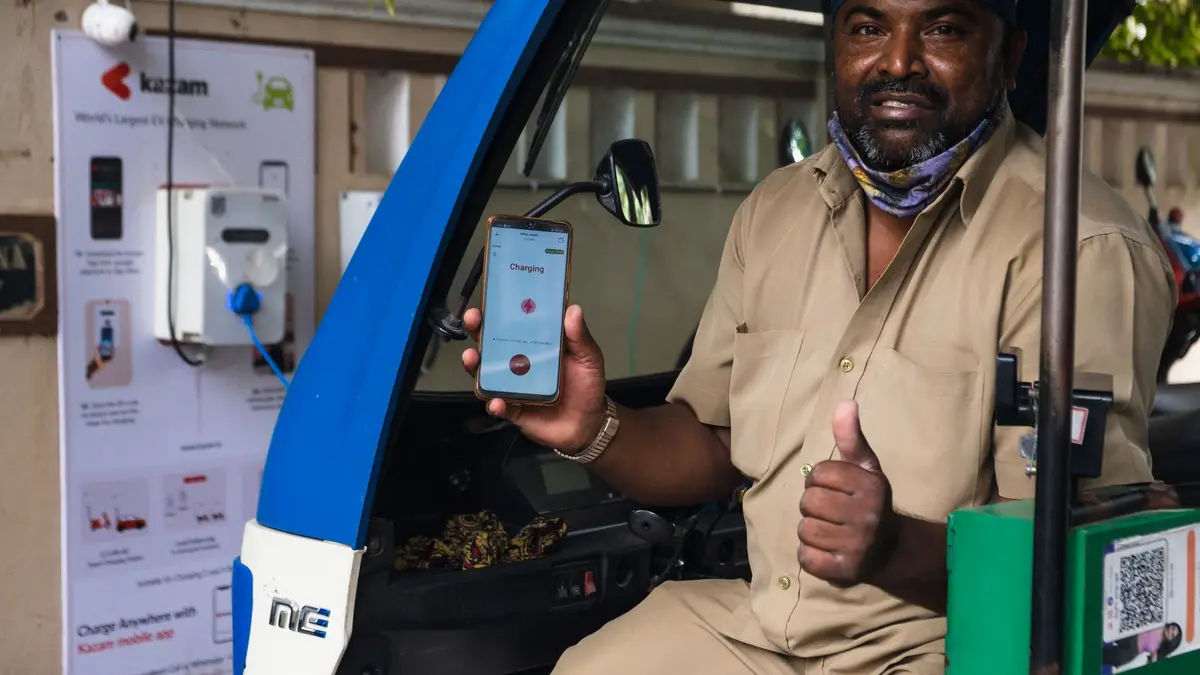
| Smart charger app | One schedule for every car that plugs in. Session history and energy use in one place. Often adds load management. | Some cars stop requesting power if the charger holds off too long. Many models need Wi-Fi for remote changes. | Shared chargers, two-EV homes, cars with limited scheduling |
| Home energy manager or solar-aware charger | Can balance tariffs, solar surplus and a home battery automatically. | More setup, and the priorities must be configured carefully. | Homes with solar, batteries or variable pricing |
A good rule of thumb: with one car and a basic charger, let the car run the schedule. If several cars share the charger, or your car's scheduling is clumsy, let the charger run it and set the car to charge whenever power is available. The differences between charger types are covered in our comparison of smart vs basic EV chargers.
Departure time vs start time modes
Most cars offer one or both of these modes, sometimes under different names.
Start time
You set when charging begins, and sometimes when it must end. The car starts at that time and stops when it reaches your charge limit. It is predictable, easy to check against your tariff and the safest choice when your cheap window is short.
Departure time
You enter when you plan to leave and the car works out when to start, aiming to finish close to departure. Many cars can also precondition the cabin and battery while still plugged in, so heating or cooling comes from the wall rather than the battery.
The catch is that if the car estimates it needs more time than your window allows, it may start before the cheap rate begins. Some cars let you add an off-peak end time to departure mode to stop this. Preconditioning also draws power just before you leave, which may fall outside the window. Check the first few sessions in your car's charging history to see what it actually did.
Why two schedules cause problems
If the car and the charger both have schedules, charging only happens where they overlap. Set the car for 11pm to 6am and the charger for midnight to 7am, and you get midnight to 6am. If they do not overlap at all, the car does not charge.
Even overlapping schedules can fail. When a charger holds back power for hours after you plug in, some cars stop asking for it and go to sleep, so the session never starts.
The fix is simple: choose one controller and set the other to charge whenever power is available. Make a note of which one you chose, because a software update or a well-meaning family member can quietly switch the other schedule back on.
Using cheap midday and solar soak windows
Some newer time-of-use plans include very cheap or free windows in the middle of the day to soak up rooftop solar across the network. If your car is home during the day (you work from home, it is a second car, or it is the weekend), a midday schedule can be cheaper than overnight.
A few points to get right:
- Run two schedules if your car or charger allows it. Many support more than one, so you can charge midday on days the car is home and overnight on the rest.
- Watch the day rules. Some windows apply every day, others only on certain days.
- If you have your own solar, a solar-aware charger that follows your surplus usually beats a fixed midday timer, because it adjusts as clouds pass and household load changes. Our guide to EV charging options for home solar compares the approaches, and our solar EV charger integration service explains how the metering is set up.
Scheduling for two EVs
Two cars on one cheap window raise two questions: is there enough time, and is there enough supply?
Time is usually fine. On a 7kW charger, each car needs only a couple of hours to put back an ordinary day of driving. Supply is the bigger issue, because two chargers running flat out at once can draw more current than some homes are set up for, especially if off-peak hot water or air conditioning runs at the same time. Your options:
- Stagger the schedules, so one car charges early in the window and the other later.
- Link the chargers. Many smart chargers can share a set current limit and split it between two cars automatically.
- Add dynamic load management. A CT clamp at the switchboard lets the charger back off when the house draws more.
- Share one charger. If daily driving is light, two cars can alternate nights on one charger.
If both cars cover big distances, read whether you need 3 phase power for an EV charger before assuming you need a supply upgrade.
Smart chargers that follow your tariff automatically
A fixed schedule is fine when your tariff never changes. Some smart chargers and energy apps go further: you enter your tariff rates and windows, set how much charge you need by morning, and the system picks the cheapest hours. A few can also respond to price signals from retailers that offer dynamic or wholesale-linked pricing, charging hardest when prices are lowest.
These features rely on being on a time-of-use plan in the first place, which needs the right meter, plus a reliable Wi-Fi signal at the charger. If you are still sorting out your plan, start with do you need a smart meter for EV charging.
Why did my car not charge overnight?
Work through these in order. Most failed sessions come down to one of them.
- Two schedules clashing. Check both the car and the charger app for an active schedule.
- Charge limit already reached. If the car was at or above its limit when you plugged in, there was nothing to do.
- Wrong time or time zone. Check the charger app's time zone and whether a daylight saving change moved the clock. Also check whether your plan states its window times in local time or standard time.
- Location-based schedules. Some cars only apply a schedule at a saved home location. If that location is slightly off, the schedule may be ignored.
- The car went to sleep. If the charger delayed power, the car may have stopped requesting it. Move the schedule to one device.
- Lost connection. Some chargers need Wi-Fi to receive schedule changes, so a dropout can leave an old schedule running.
- A software update. Car and charger updates can reset settings, so re-check schedules after any update.
- The plug was not fully seated. Check that the connector clicked in and locked, and that the car showed it was connected.
Getting your charger set up right
We commission every charger we install across Greater Sydney with you: for smart units we connect it to Wi-Fi, check the time zone and set the schedule in the right place for your car, and we walk you through how it all works. Australian tariffs and windows vary between plans, so have a recent bill handy and we will match the schedule to it.
If you are adding a charger or upgrading to a smart one, see our smart EV charger installation service, or book a free on-site quote and we will recommend a setup that charges at the cheapest times without you thinking about it.
Related services
Written by Nathan Dawson, Founder & Lead EV Installer
A licensed electrician installing EV chargers across Sydney since 2017. Every install we quote is wired to AS/NZS 3000 and certified. More about Nathan.